
What is Linkedin Patches?
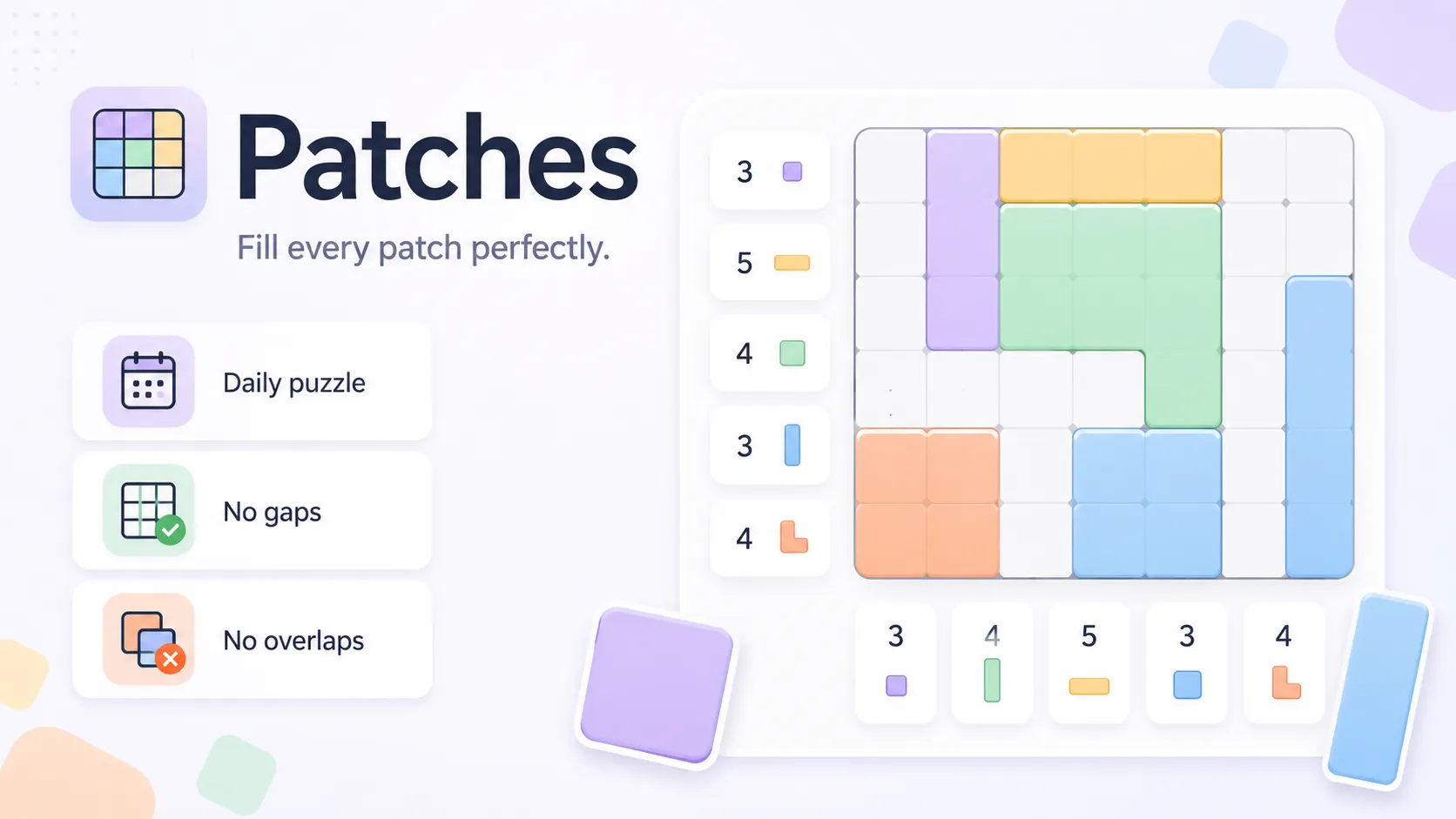
Linkedin Patches is LinkedIn’s daily spatial stitch: a grid of clue cells that must be covered by rectangles. Each clue says how many cells the patch needs and whether it must be square, wide, tall, or free-form at that count. You drag shapes until every cell belongs to exactly one patch.
A locally legal rectangle can still steal cells another clue needs. Linkedin Patches is finished only when the whole board is tiled with no gaps and no overlaps.
Linkedin Patches Game Rules
Read each numbered clue and its shape icon. A square clue must be a square. Wide means wider than tall. Tall means taller than wide. A free-size clue can flex but must hit the cell count. Cover every cell once. Shapes cannot overlap. Empty leftover pockets fail the puzzle. Linkedin Patches scores the full tiling, not one pretty rectangle in the corner.
- Cover the Linkedin Patches grid with clue-sized shapes and no leftovers.
- Match square, wide, tall, or free-size constraints on each clue.
- Patches cannot overlap or leave gaps.
- A legal local shape is wrong if it blocks another clue.
How to play Linkedin Patches?
Press Play on this listing to open official Linkedin Patches. Place forced corner patches first, then adjust greedy rectangles until the leftover space can still host the remaining clues.
- Read each Linkedin Patches clue: count plus square, wide, tall, or free.
- Draw the unique patches in corners and along edges first.
- Reject a rectangle that starves a neighboring clue.
- Fill remaining cells so nothing is stranded or doubled.
Linkedin Patches Strategy & Tips
Start with the most restricted clues: corners, edges, and large numbers. Imagine every rectangle that could satisfy a clue, then drop the ones that wreck neighbors. Do not trust a shape only because the rules allow it. If a leftover pocket cannot match any nearby clue, an earlier Linkedin Patches drag was too greedy. Undo that patch instead of forcing the pocket.
- Anchor Linkedin Patches with corners and large clues.
- Check global leftover space, not only the current rectangle.
- Undo greedy patches when a pocket cannot fit any clue.
FAQ about Linkedin Patches
What is Linkedin Patches?
Linkedin Patches is a daily LinkedIn logic game where you tile a grid with clue-based rectangles that cover every cell once.
How do you play Linkedin Patches?
Open official Linkedin Patches, drag patches that match each clue’s size and shape, and cover the board with no gaps or overlaps.
Can patches overlap in Linkedin Patches?
No. Every cell belongs to exactly one patch, and leftover empty cells also fail the solve.
Where can I play Linkedin Patches?
Use Play on this AllDle Games page to open official Linkedin Patches in a new tab.