
What is Tiny Emulators?
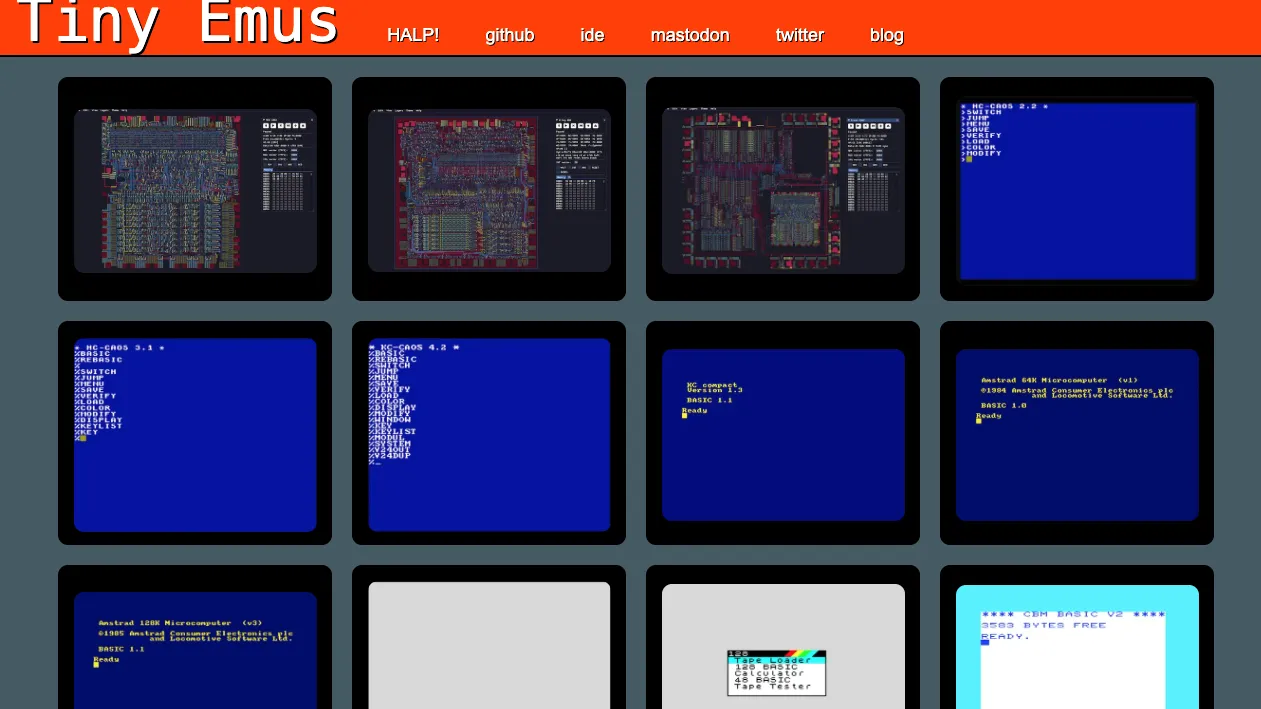
Tiny Emulators is a browser arcade of 8-bit machines, not a daily Wordle. Pick a preloaded title or a system and the page becomes a Commodore 64, ZX Spectrum, Amstrad CPC, KC85, Acorn Atom, or another classic. Games, demos, and loading screens run in the tab. No desktop emulator install is required.
The first boss is often the authentic boot ritual. Attract modes wait for a coin. Spectrum titles ask for a joystick type. Audio may stay silent until a click. Tiny Emulators is a museum you can play, not a one-secret-a-day guesser.
Tiny Emulators Game Rules
There is no single daily rulebook. Each emulated game keeps its original lives, collisions, and scoring. Typical browser keys: arrows to move, Space to jump or fire, 1 to insert a virtual coin, Enter to start. A frozen screen is often waiting for Space, 1, or a menu confirm. Some builds accept compatible local files by drag-and-drop; unsupported dumps are rejected. Formats depend on the machine.
- Choose a Tiny Emulators system or a preloaded 8-bit title.
- Click or press a key to wake audio and keyboard focus.
- Use era-correct start keys (often 1, Space, or Enter).
- Play by that game’s original rules, not a shared daily grid.
How to play Tiny Emulators?
Press Play on this listing to open official Tiny Emulators. Pick a machine or a bundled game, click the canvas, then hunt the start prompt. Experiment with Space, 1, and Enter before assuming a load failed.
- Select a C64, Spectrum, CPC, arcade, or other Tiny Emulators target.
- Click the screen so sound and keys attach to the page.
- Follow PRESS SPACE, coin, or joystick prompts to leave attract mode.
- Use arrows and Space in-game; switch layout if a title ignores the defaults.
Tiny Emulators Strategy & Tips
Start with titles that print launch instructions. On Spectrum software, try a supported joystick option such as Kempston when asked. Prefer a build with a visible toolbar if you need to load files or remap keys. Expect brutal original difficulty: limited lives, no modern tutorials. Tiny Emulators is a catalog of machines, not a geography or agent daily.
- Treat a still Tiny Emulators screen as a start-key puzzle first.
- Wake audio with a click before chasing volume settings.
- Learn one machine’s habits before hopping to another system.
FAQ about Tiny Emulators
What is Tiny Emulators?
Tiny Emulators is a free in-browser collection of 8-bit computers and arcade titles you can run without installing a classic emulator.
How do you play Tiny Emulators?
Open official Tiny Emulators, pick a system or game, click to enable input, then use the original start keys and that title’s controls.
Is Tiny Emulators a daily puzzle like Wordle?
No. It is a retro machine portal. Each game keeps its own rules, lives, and loading ritual.
Where can I play Tiny Emulators?
Use Play on this AllDle Games page to open official Tiny Emulators in a new tab.